What is Search?
An AI-driven NLP search, lets users search in the way that comes most naturally to them - and this is just the beginning. Our goal is to challenge the status quo in a space that hasn’t changed for decades, and transition context-powered search from a ‘good-to-have’ to an absolute essential for any growth-focused brand.
Search API
Below is an explanation of the search feature offered by Zevi.ai , along with examples of how it can be used.
Endpoint :
Sample Request :
curl --request GET 'https://api.zevi.ai/2023-01/search?limit=25&store=63b5a4f23d3d68e12be783d9&q=ha'-H 'X-Zevi-Org-Id: 63b5a4f23d3d68e12be783d9' \-H 'X-Zevi-Api-Key: 9a940c8f-4609-4fa8-acab-5f4d55facfef' \-H 'Content-Type: application/json'
Sample Response :
{"ranked_list": [{"product_id": "74286","title": "Beverage Cup","description": "The glass-blown cup is the ideal companion for a cup of coffee or tea with the favorite homies. The tea is kept warm by the double-walled design, which makes the cup very comfortable to handle. Present tea in style with the beautiful, clear glass tea glasses, which are simple yet edgy. The glass cup is made of excellent quality material and is suitable for both formal as well as informal occasions. Set up the table with an elegant charm during an","category1": "Home","category2": "kitchenware & dining","subcategory": "cup","handle": "beverage-cup","store_id": 227,"store_name": "Nestasia"},{"product_id": "74263","title": "Milk Cup","description": "Ceramic coffee cups in black are manufactured without any chemical processing and keeping in mind a need to carve a path for sustainable living. The elegant design and textured surface of the reusable coffee cup will compliment any table and home décor. Suit the needs of one's coffee table and be ready to be able to easily pair up the mugs with any snack plates of one's choice. The smooth matte finish of the mug prevents discoloration from takin","category1": "Home","category2": "kitchenware & dining","subcategory": "cup","handle": "milk-cup","store_id": 227,"store_name": "Nestasia"},...,...],"total_result_count": 10,"filters":[{"title":"Filter Color","column_name":"filter_color","type":"checkbox","values":["Blue","Green","Purple","Black","Red","Orange","Yellow","Grey"]},{"title":"Filter Price","column_name":"filter_price","type":"checkbox","values":["501-1000","0-500","1001-1500","1501-2000","2001-4000"]},{"title":"Filter Size","column_name":"filter_size","type":"checkbox","values":["S","M","L","XL","XXL"]},...]}
Filters API
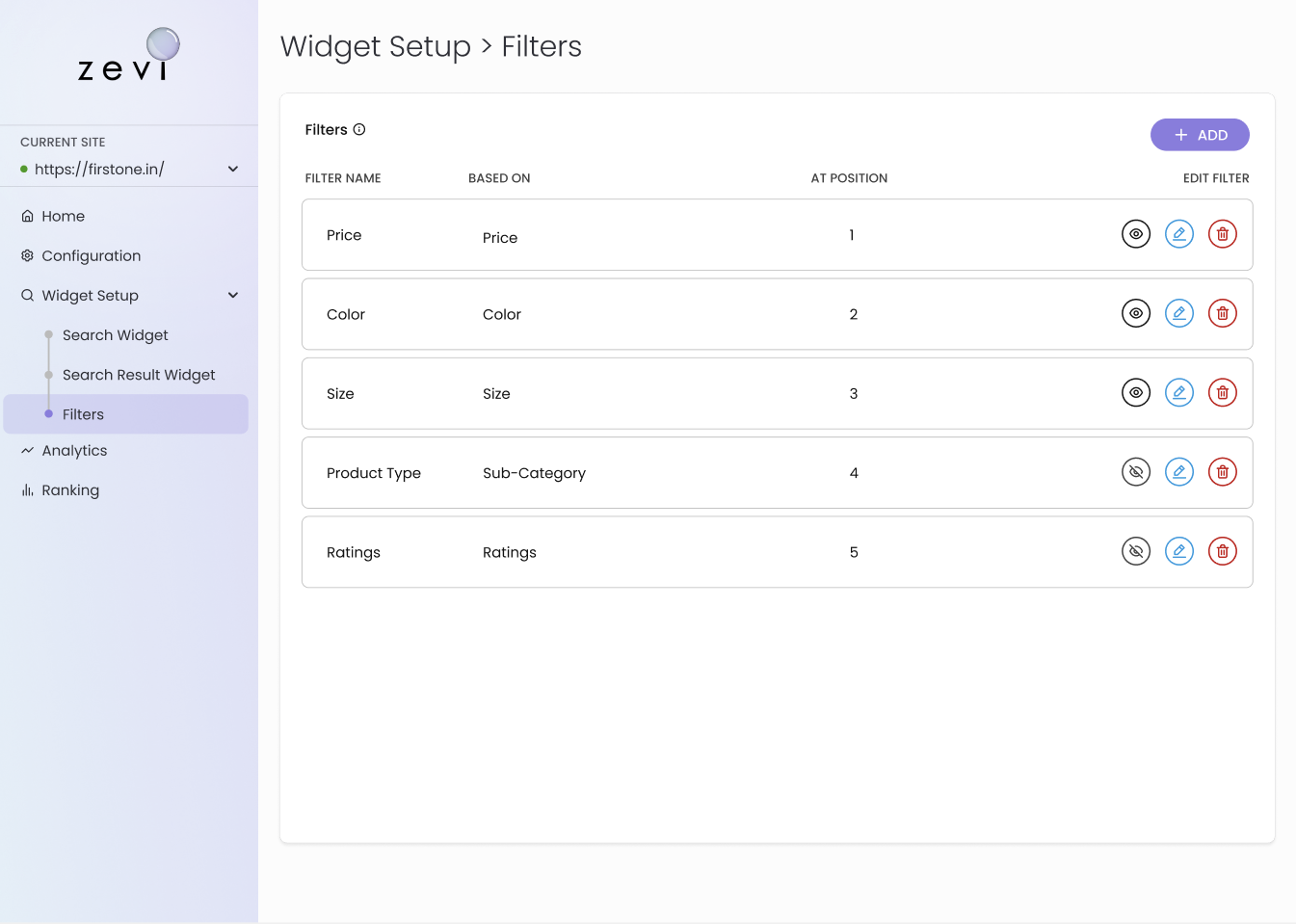
For each search request, we offer a filter JSON array in our response, similar to the sample responses. This array includes various columns specific to the products and stores in question. To create, modify, or delete filters, you can use the Filter tab on the dashboard. Assuming that you have already created the filters, you may want to refine your search results by using the color=Black filter. The following example of a search request will implement this filter and retrieve only the products that match the search query, and then further narrow down the search results to only include products with the color Black.
Sample request with filter
Filter parameter format :
curl --request GET 'https://api.zevi.ai/2023-01/search?limit=25&store=63b5a4f23d3d68e12be783d9&q=ha&filter=filter_color=Black'-H 'X-Zevi-Org-Id: 63b5a4f23d3d68e12be783d9' \-H 'X-Zevi-Api-Key: 9a940c8f-4609-4fa8-acab-5f4d55facfef' \-H 'Content-Type: application/json'
As filter format mentioned above, you may notice that there is an additional parameter filter=filter_color=Black added to the search request. This parameter enables you to apply any other filter that you have previously created using the following format: filter={filter_column}={value}. You can apply all available filters in a single request, if desired.
Sample request with multiple filters on multiple columns
Filter parameter format :
curl --request GET 'https://api.zevi.ai/2023-01/search?limit=25&store=63b5a4f23d3d68e12be783d9&q=ha&filter=filter_color=Black&filter=filter_size=XL'-H 'X-Zevi-Org-Id: 63b5a4f23d3d68e12be783d9' \-H 'X-Zevi-Api-Key: 9a940c8f-4609-4fa8-acab-5f4d55facfef' \-H 'Content-Type: application/json'
In this above sample request there are 2 filters applied on two different columns, One one color as filter=filter_color=Black and other is on size as filter=filter_size=XL
Sample request with multiple filters on same columns
Filter parameter format :
curl --request GET 'https://api.zevi.ai/2023-01/search?limit=25&store=63b5a4f23d3d68e12be783d9&q=ha&filter=filter_color=Black&filter=filter_color=Green'-H 'X-Zevi-Org-Id: 63b5a4f23d3d68e12be783d9' \-H 'X-Zevi-Api-Key: 9a940c8f-4609-4fa8-acab-5f4d55facfef' \-H 'Content-Type: application/json'
In this above sample request there are 2 filters applied on same columns, One one color as filter=filter_color=Black and other is on size as filter=filter_color=Green
Sample request with range based filters
Filter parameter format :
curl --request GET 'https://api.zevi.ai/2023-01/search?limit=25&store=63b5a4f23d3d68e12be783d9&q=ha&filter=filter_price=500-1000'-H 'X-Zevi-Org-Id: 63b5a4f23d3d68e12be783d9' \-H 'X-Zevi-Api-Key: 9a940c8f-4609-4fa8-acab-5f4d55facfef' \-H 'Content-Type: application/json'
In this above sample request there is filter filter=filter_price=500-1000 applied on the price column to get products in the price range of 500 to 1000.
The filter parameter is a powerful tool that allows you to refine your search results based on specific criteria such as color, size, price range, and more. It offers a flexible and efficient way to customize your search and find the products that best match your preferences and needs. In short, the filter parameter enables you to create, modify, and apply filters to your search requests, helping you to find exactly what you are looking for.
Configuration
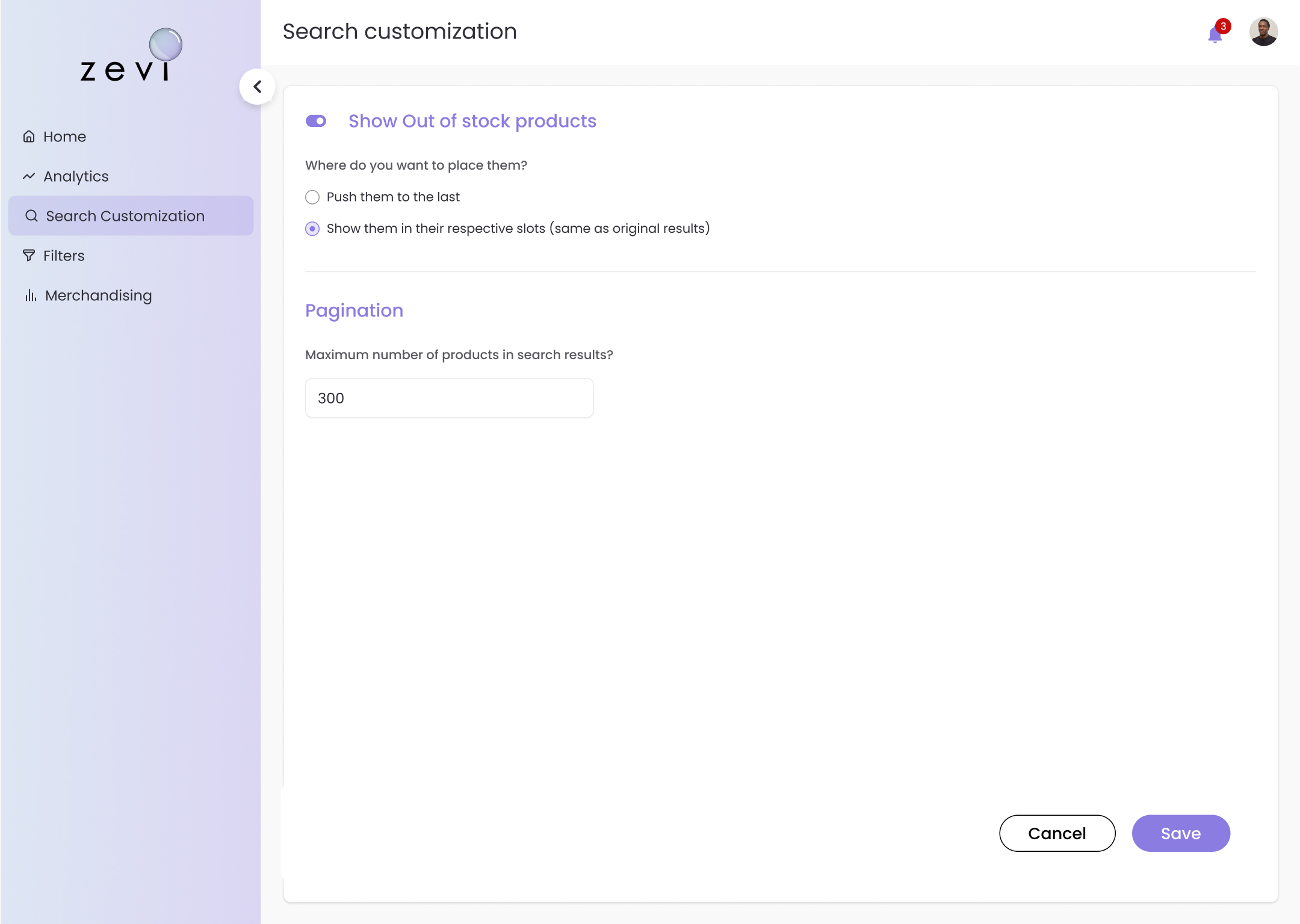
Out of stock products- You can choose to show or hide out-of-stock products. search results to fit your store's requirements. Pagination - You can also determine the number of products displayed per page. These features give you more control over how your customers interact with your store, ultimately enhancing their experience.